How to Make the Ozil Goal AI Video (with Screenshots)
Make the viral Ozil goal AI video from one photo, with a screenshot of every step: add the photo, sign in, pick a pack, generate, download and post.
Oct 13, 2026
The Ozil goal clip is a night football match where the person on the ball is usually not a footballer at all: the keeper dives past, the ball bounces off the chest, a defender slides in and ends up on the grass. This guide shows how to make your own version from one photo, with a screenshot of every step. It takes about two minutes of your time plus 5 to 8 minutes of rendering.
You get a 15-second vertical (9:16) MP4 with the person from your photo on the ball, in their own clothes, on the same pitch with the same players, camera and cuts as the trend clip. If you want the background first, read what the Ozil goal AI trend is.
What you need
- One photo of one adult: JPG, PNG or WebP, up to 8 MB. Face visible, head to toe if possible.
- A Google account or an email address to sign in. No password.
- A video in your balance. There is no free trial; packs start at $8.90 for one video.
The photo matters more than anything else. If you are not sure yours will work, check the best photo for an Ozil goal AI video first.
Step 1: Add one photo
Open the generator on the home page. Before you add anything it shows an empty upload area and, while you are signed out, a Sign in to generate button.
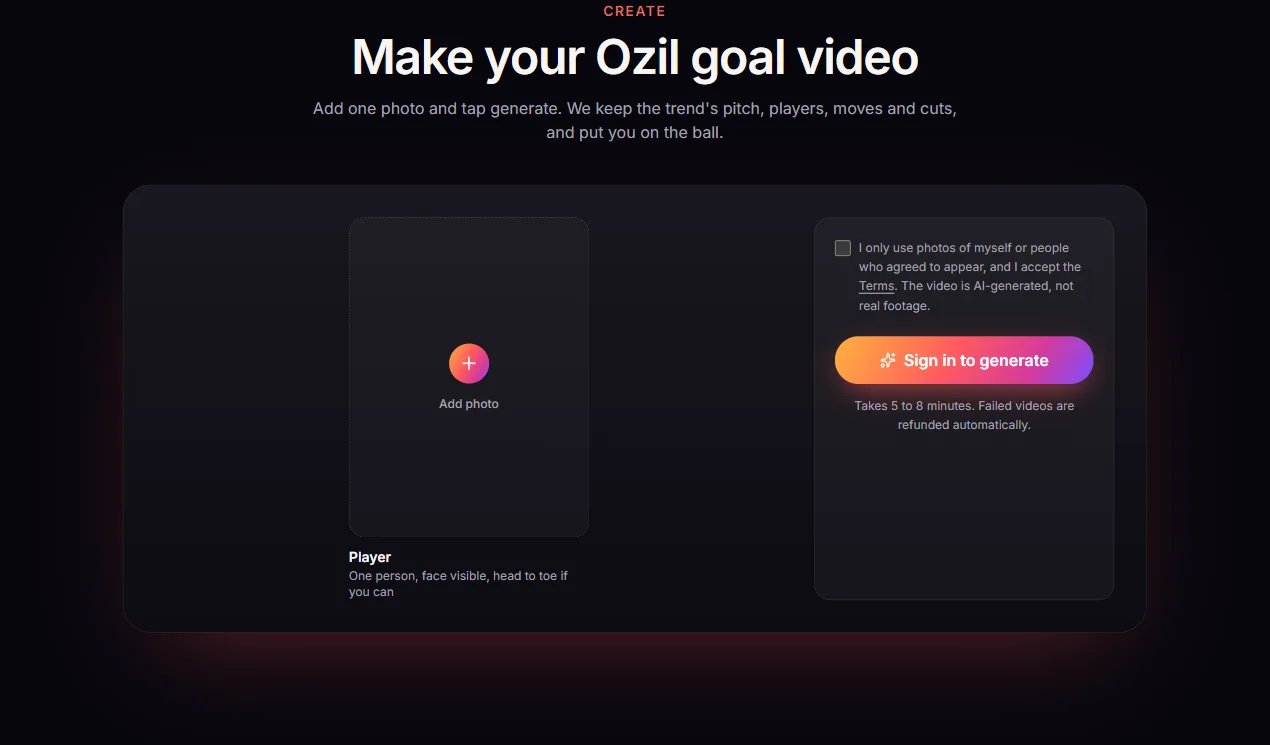
Click the upload area and pick your photo. Avoid sunglasses, hats, masks, group photos, heavy filters and plain green or white tops, because those are the kit colours of the other players.
Step 2: Tick the consent box and sign in
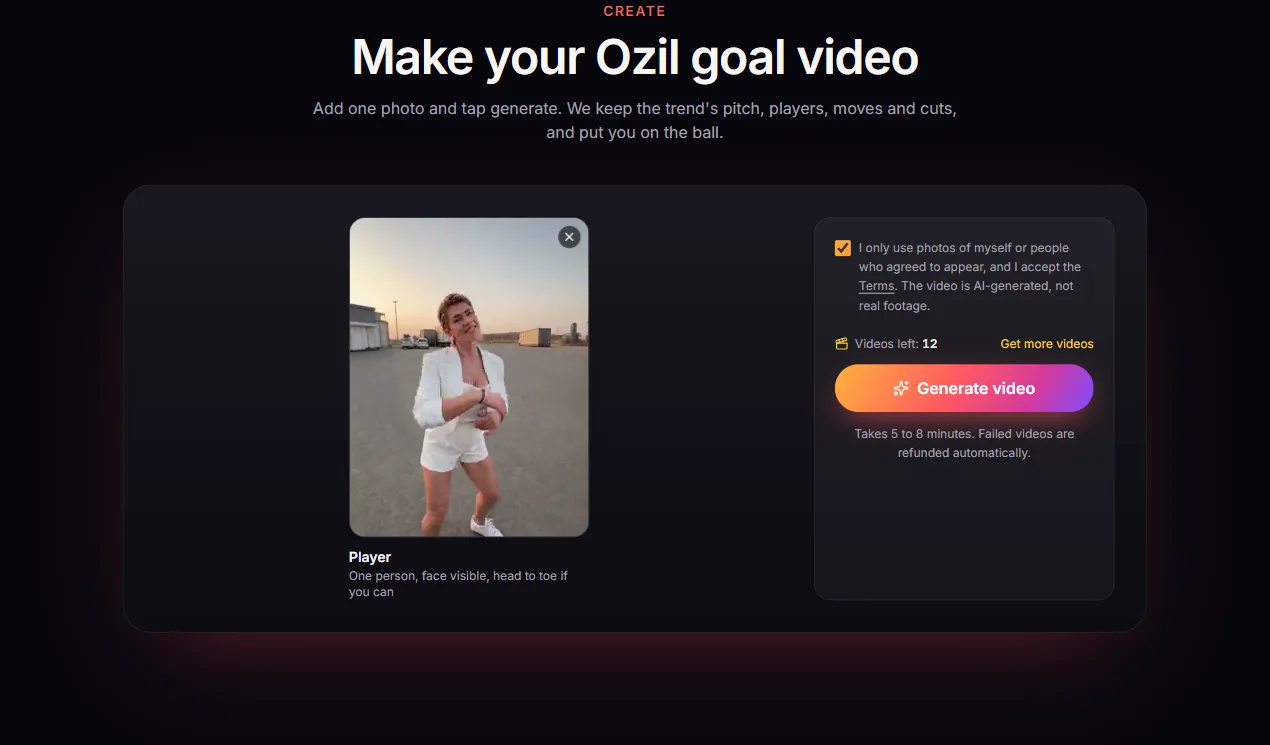
Once the photo is in, tick the consent box. It confirms the photo is of you or of an adult who agreed to it. Photos of footballers, celebrities, public figures or minors are not allowed.
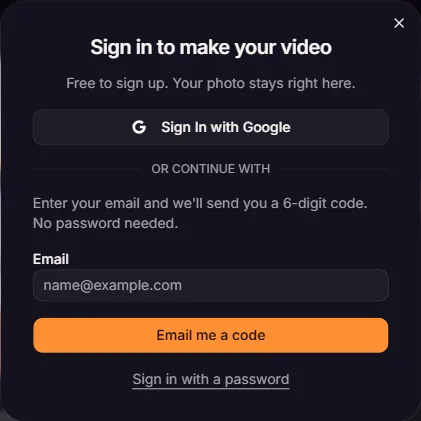
If you are not signed in yet, the generator asks you to. Sign in with Google, or type your email and enter the 6-digit code we send you. Your photo stays in place while you do this.
Step 3: Pick a video pack
The generator shows how many videos you have left. If it is 0, choose a pack on the pricing page. All prices are in USD, one-time, with no subscription:
- 1 video: $8.90
- 3 videos: $19.90
- 7 videos: $39.90
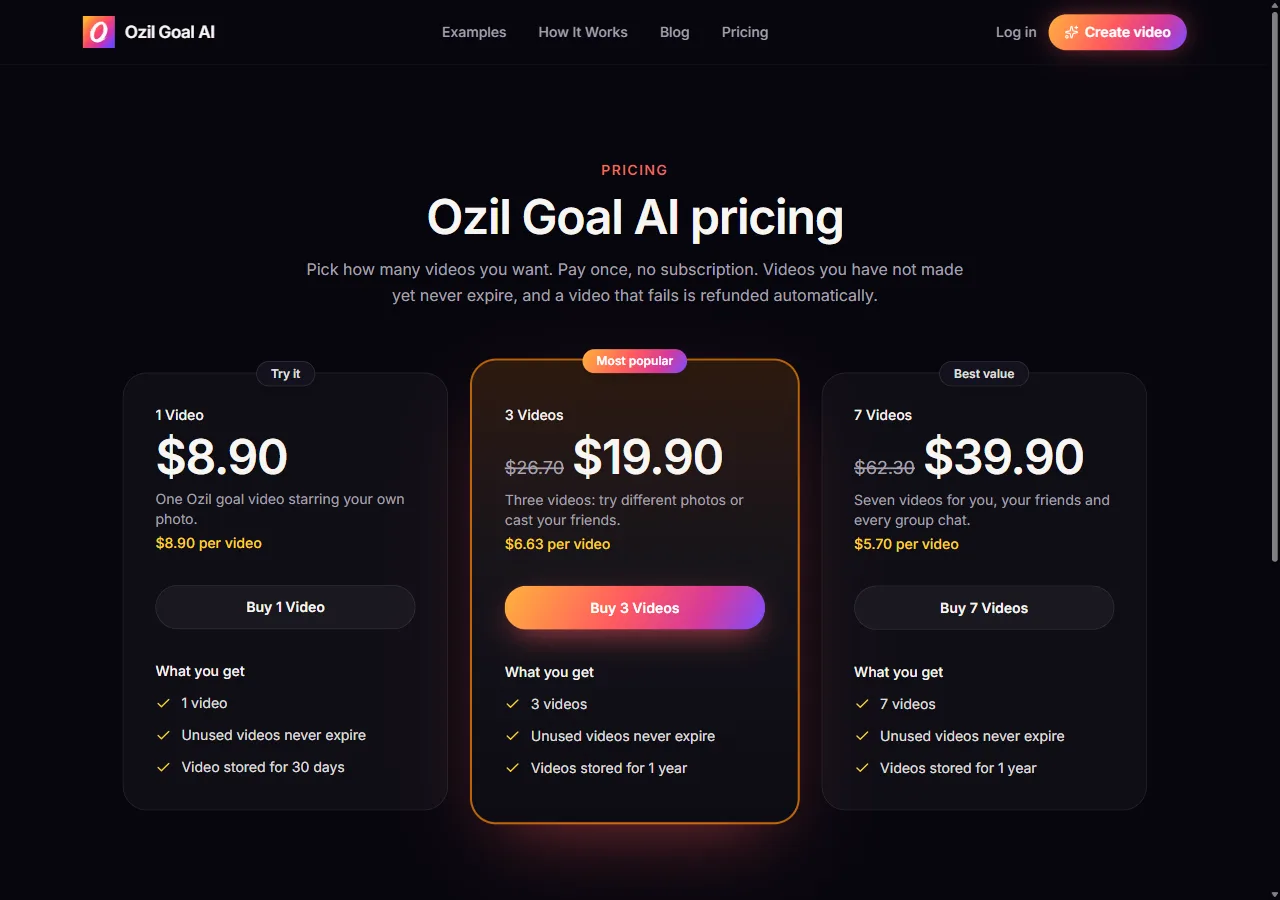
Bought videos never expire. Finished videos are kept for 30 days with the 1 video pack, or for 1 year once you have bought 3 or 7. Unused packs can be refunded within 7 days.
Step 4: Generate the video
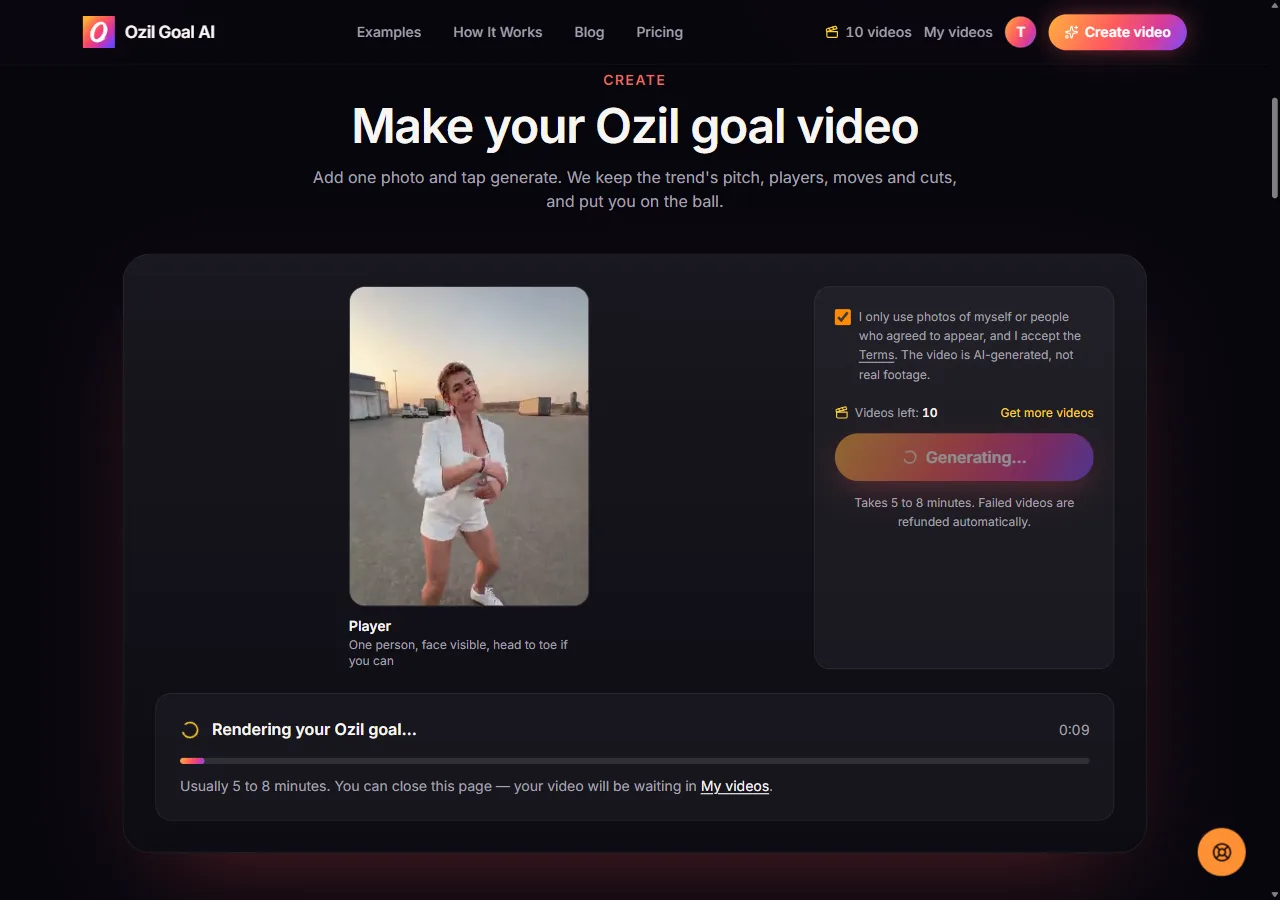
Back in the generator, press Generate video. One video is taken from your balance and rendering starts. There is nothing to write: no prompt, no template, no editing. If you are curious what a prompt for this clip would look like in other tools, see the Ozil goal AI prompt guide.
Step 5: Wait 5 to 8 minutes
Rendering takes about 5 to 8 minutes. You will see a progress card while it works. You do not have to keep the page open: close it, and the video keeps rendering and waits for you in My videos.
Step 6: Download the MP4
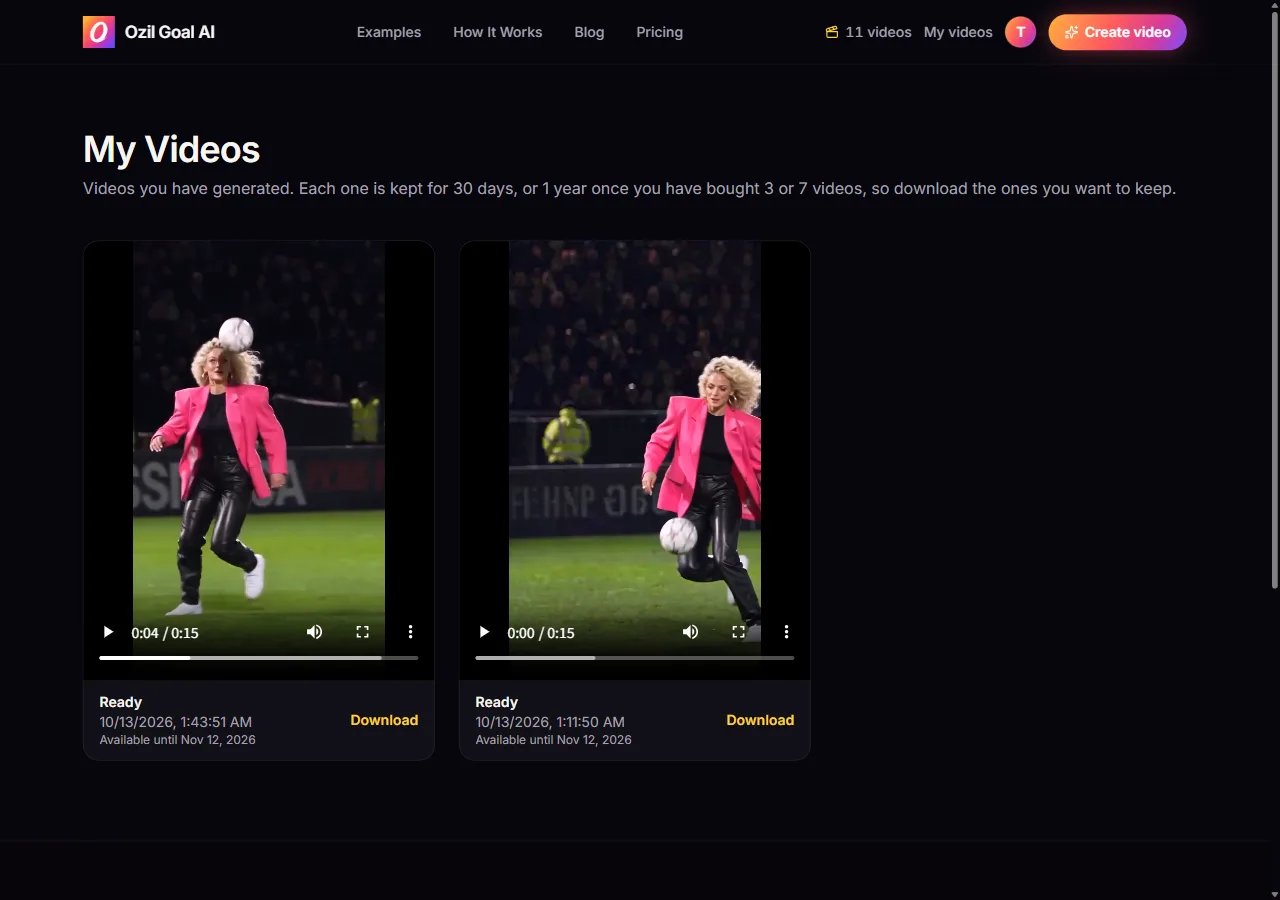
Open My videos and press Download next to the finished clip. You get a 15-second, 480p vertical MP4 with the trend's original sound. We do not add a watermark.
Posting it
The file is already vertical and has the sound, so you can upload it as it is to TikTok, Reels or Shorts. Label it as AI-generated where the platform asks. For captions, hashtags and the label setting, follow how to post your Ozil goal video on TikTok.
If it fails
Prefer a free route? The CapCut template is free and works from one photo too. The trade-offs are in Ozil goal CapCut template vs an AI generator.
Make your Ozil goal video
One photo in, a 15-second clip out. No CapCut, no prompt, no editing.
Open the generator